Voice cloning without a GPU
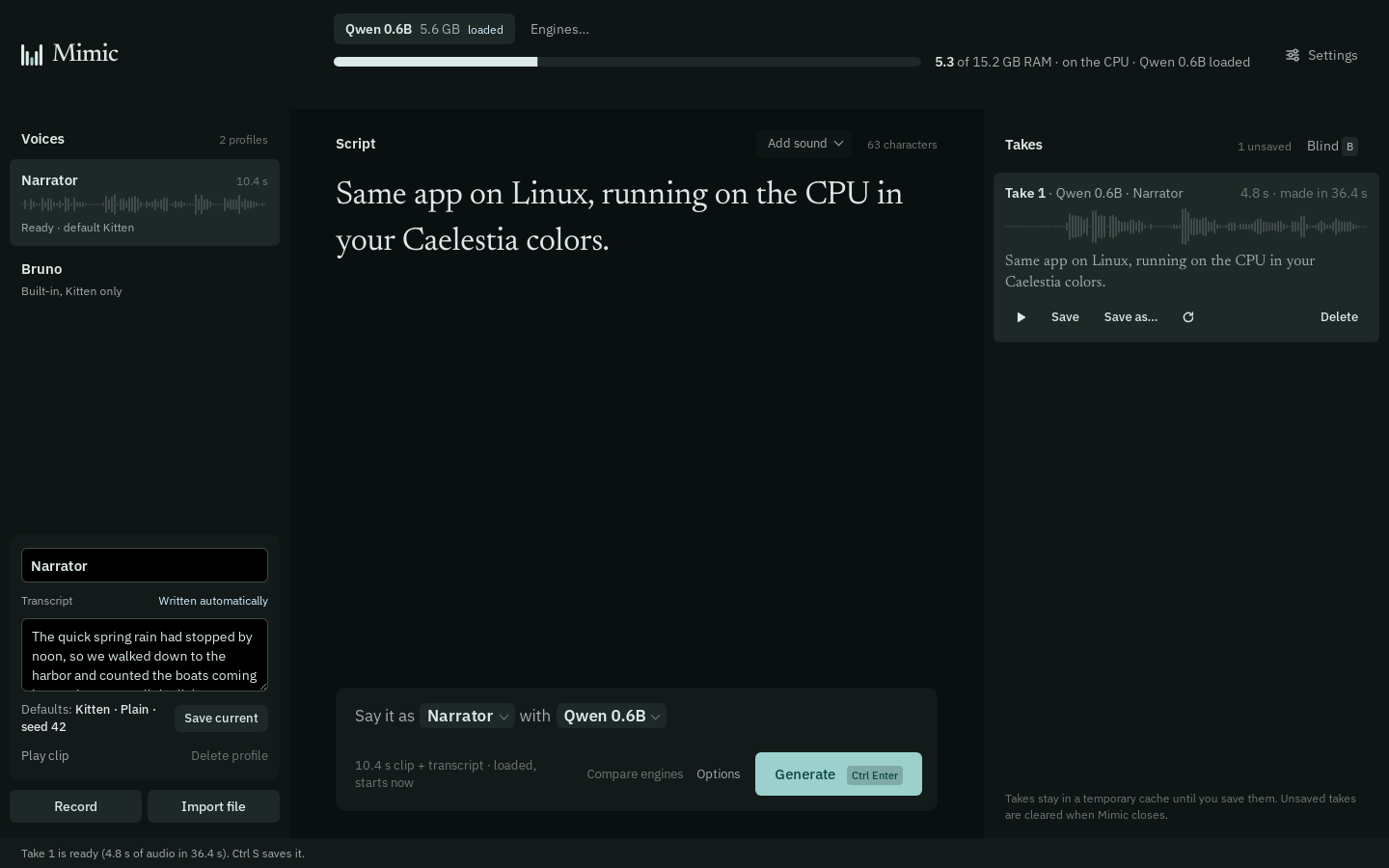
Yes. Qwen3-TTS 0.6B runs on the CPU in 5.6 GB of RAM and takes about 4.7 seconds to make each second of speech on a 16-thread CPU, so a 10-second line takes under a minute. On older laptops, NeuTTS Air runs in about 1 GB of RAM on Linux.
Engines that run on the CPU
| Engine | RAM on the CPU | Speed on the CPU | Clones from |
|---|---|---|---|
| Qwen3-TTS 0.6B | 5.6 GB | 4.69 s per second of speech | clip and transcript |
| Qwen3-TTS 1.7B | 10.9 GB | 5.57 s per second of speech | clip and transcript |
| Chatterbox Turbo | 6.0 GB | not measured | clip only, over 5 s |
| Audio8 TTS Preview 0.6B | 6.1 GB | not measured | clip and transcript |
| KittenTTS 2 | 14.5 GB | not measured | clip only |
| NeuTTS Air (Linux) | about 1 GB (published) | not measured | clip of 3 to 15 s and transcript |
When Mimic falls back to the CPU
Mimic checks your hardware and uses an NVIDIA GPU, an AMD Radeon GPU on Linux (experimental) or an Intel Arc GPU (experimental) when it finds one. Otherwise it uses the CPU, and the bar at the top counts RAM instead of VRAM.
Older Intel graphics (Iris Xe, UHD) aren't supported by PyTorch, and neither are most Radeon cards older than the RX 6000 series, so those PCs use the CPU too. If a driver or runtime is missing, Mimic says which package to install for your distro.
Is a GPU worth it?
For Qwen3-TTS 0.6B, a GPU is about 2.4 times faster: 1.95 seconds per second of speech on an RTX 5070 Ti, against 4.69 on the CPU. It also needs only 2.4 GB of VRAM, so most gaming cards from the last few years can run it. See Qwen3-TTS 0.6B vs 1.7B for both sizes.
NeuTTS Air on older laptops
NeuTTS Air is the engine for machines with little memory. Its models are gated on Hugging Face (free, instant approval): accept the terms on the model pages, create a read token, paste it in Settings › Engines and memory, and install the build tools it compiles with (espeak-ng, cmake and a compiler).